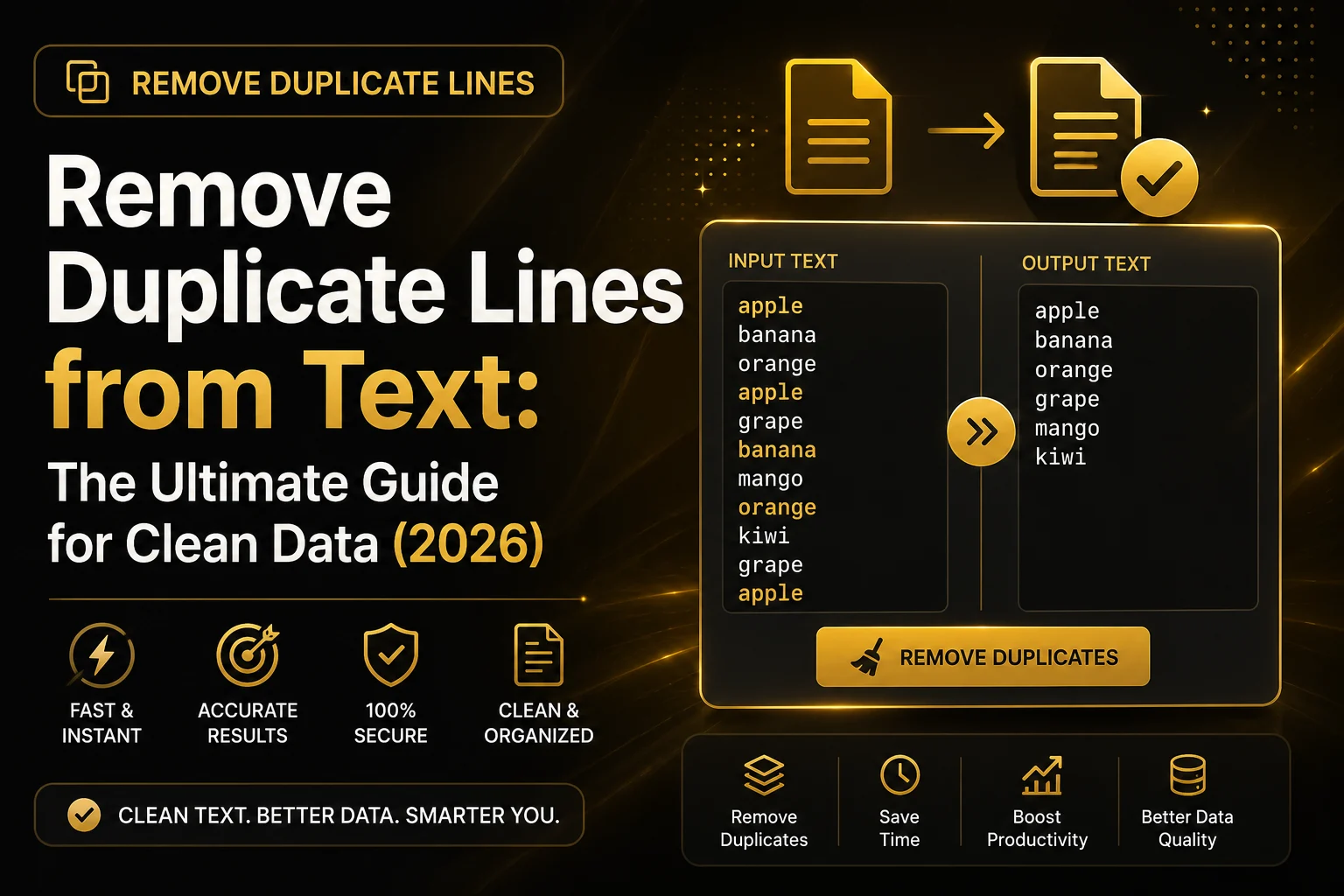
Duplicate data is one of the most common problems people face when working with text files, spreadsheets, keyword lists, programming code, CSV exports, databases, and email lists. Even a small amount of duplicated information can make your data difficult to manage, reduce accuracy, and waste valuable time.
Fortunately, there’s a simple solution. A Remove Duplicate Lines tool automatically identifies repeated lines of text and removes them, leaving only unique entries. Instead of manually comparing hundreds or thousands of lines, you can clean your data in seconds with just a few clicks.
Whether you’re an SEO professional organizing keyword lists, a developer reviewing log files, a student managing research notes, or a business cleaning customer records, removing duplicate lines helps improve efficiency and ensures your information remains accurate.
In this comprehensive guide, you’ll learn what duplicate lines are, why they occur, how they affect your work, and how an online Remove Duplicate Lines tool can simplify your workflow.
What Are Duplicate Lines?
Duplicate lines are repeated pieces of text that appear more than once in the same document or dataset. They may be identical copies or repeated entries created during data collection, exporting, copying, or merging files.
For example, imagine you have the following list of email addresses:
john@example.com

alice@example.com

john@example.com

mark@example.com

alice@example.com
The first and third entries are identical, as are the second and fifth. These repeated records are duplicate lines.
After removing duplicates, the cleaned list becomes:
john@example.com

alice@example.com

mark@example.com
The result is shorter, easier to manage, and free of unnecessary repetition.
Duplicate lines can appear in almost any type of text, including:
- Email addresses
- Phone numbers
- URLs
- Product SKUs
- Customer names
- Keywords
- CSV exports
- Programming code
- Server logs
- Configuration files
- Research notes
Why Do Duplicate Lines Occur?
Duplicate lines are usually created unintentionally during everyday tasks. Understanding the causes can help you prevent them in the future.
Copying and Pasting Data
One of the most common reasons is repeated copying and pasting. When combining information from multiple sources, it’s easy to paste the same content more than once without noticing.
Merging Multiple Files
Businesses often merge customer databases, spreadsheets, or exported reports. If two files contain the same records, duplicate entries are created.
Importing Data Multiple Times
Many applications allow repeated imports. Accidentally importing the same CSV file twice can instantly double the number of records.
Manual Data Entry
Human error also contributes to duplicate data. A user may unknowingly enter the same information several times while updating records.
Software Synchronization
When multiple applications synchronize information, duplicate records may appear if synchronization rules aren’t configured correctly.
Exporting Reports
Reports generated from CRM systems, accounting software, or analytics platforms may include duplicate rows depending on filters and export settings.
Why Removing Duplicate Lines Matters
Some people assume duplicate lines are harmless, but they can cause significant problems in both personal and professional work.
Removing duplicate entries improves data quality, reduces confusion, and makes information easier to analyze.
Some of the biggest benefits include:
- Cleaner datasets
- Better organization
- Faster searching
- Reduced file size
- Improved reporting accuracy
- Easier collaboration
- Better application performance
- Higher data integrity
When your data is clean, every task becomes simpler.
Benefits of Using a Remove Duplicate Lines Tool
Instead of checking each line manually, an online Remove Duplicate Lines tool automates the entire process.
Saves Hours of Manual Work
Imagine reviewing a text file containing 20,000 lines.
Finding duplicate entries manually could take several hours.
An automated tool performs the same task almost instantly.
Improves Accuracy
Humans naturally miss repeated information when working with large datasets.
Automated tools identify every exact duplicate consistently, helping eliminate mistakes.
Works with Large Files
Modern online tools can process thousands—or even tens of thousands—of lines in seconds, making them suitable for both personal and professional use.
Easy to Use
Most Remove Duplicate Lines tools require only three simple steps:
- Paste your text.
- Click the remove duplicates button.
- Copy the cleaned result.
No technical knowledge or software installation is required.
Helps Organize Information
Unique data is easier to read, search, sort, and analyze.
Whether you’re maintaining a mailing list or cleaning research notes, removing duplicate lines creates a more organized document.
Who Uses Remove Duplicate Lines Tools?
A wide range of users benefit from this type of tool.
SEO Professionals
SEO specialists often combine keyword lists from multiple sources.
Removing duplicate keywords creates cleaner research data and helps prevent redundant targeting.
Digital Marketers
Marketing teams frequently manage customer lists, promotional databases, and campaign reports.
Removing duplicate records ensures more accurate analysis and prevents repeated communication.
Developers
Software developers work with:
- Log files
- Configuration files
- Source code
- Error reports
Duplicate lines can make debugging more difficult, so cleaning text improves readability.
Students
Students often collect notes from books, articles, and research papers.
Removing repeated information keeps study material concise and easier to review.
Business Professionals
Businesses manage thousands of customer records, invoices, employee lists, and inventory files.
Removing duplicate entries improves reporting accuracy and supports better decision-making.
Content Writers
Writers sometimes combine outlines, research, or drafts from multiple documents.
A Remove Duplicate Lines tool helps eliminate repeated bullet points, notes, or references before publication.
Common Real-World Use Cases
A Remove Duplicate Lines tool is useful across many industries and professions. Whether you’re managing customer records, organizing research data, or cleaning programming files, removing duplicate entries saves time and improves accuracy.
Let’s explore some of the most common real-world applications.
Cleaning SEO Keyword Lists
SEO professionals often collect keywords from multiple tools such as Google Keyword Planner, Google Search Console, Ahrefs, Semrush, and other research platforms.
When these keyword lists are merged, duplicate phrases frequently appear.
For example:
best word counter

free word counter

best word counter

online word counter

free word counter
After removing duplicates:
best word counter

free word counter

online word counter
A clean keyword list helps you:
Avoid analyzing the same keyword multiple times.
Improve keyword organization.
Save time during content planning.
Create better SEO reports.
Managing Email Lists
Businesses often maintain large email databases collected from contact forms, newsletters, webinars, and marketing campaigns.
Duplicate email addresses can cause several problems:
Sending the same email multiple times.
Reduced campaign performance.
Higher email marketing costs.
Poor customer experience.
Example:
john@example.com

alice@example.com

john@example.com

marketing@example.com

alice@example.com
After removing duplicates:
john@example.com

alice@example.com

marketing@example.com
This ensures each subscriber receives only one email.
Organizing Excel and CSV Data
Many companies export reports from CRM software, accounting tools, inventory systems, or e-commerce platforms in CSV or Excel format.
During imports and exports, duplicate rows are common.
Cleaning these files before analysis helps:
- Produce more accurate reports.
- Reduce spreadsheet size.
- Simplify data analysis.
- Prevent calculation errors.
Cleaning Programming Files
Developers frequently work with:
Log files
Configuration files
API responses
Error reports
JSON exports
Text-based datasets
Repeated entries make debugging more difficult.
Removing duplicate lines creates cleaner logs that are easier to analyze.
Example:
Database Connected

Database Connected

API Request Success

API Request Success

Server Started
Cleaned version:
Database Connected

API Request Success

Server Started
Processing Survey Results
Educational institutions and businesses often collect responses through online forms.
When survey responses are exported from different systems, duplicate records may appear.
Cleaning these responses ensures more reliable statistics and prevents incorrect conclusions.
Managing Product Lists
E-commerce stores frequently merge supplier catalogs.
Duplicate products can result in:
- Incorrect inventory counts.
- Duplicate listings.
- Customer confusion.
- Reporting errors.
Removing duplicate lines simplifies catalog management.
Research and Academic Work
Students and researchers often combine notes from multiple sources.
Repeated citations or identical references make documents unnecessarily long.
Removing duplicates keeps research organized and improves readability.
Exact Duplicate vs Case-Insensitive Duplicate Removal
Not every duplicate is identical.
Modern Remove Duplicate Lines tools may offer different comparison methods.
Exact Duplicate Removal
Exact duplicate removal treats text as identical only when every character matches.
Example:
Apple

apple

APPLE

Apple
Result:
Apple

apple

APPLE
Only the repeated Apple is removed because the other variations differ in capitalization.
Preserve Original Order
One important feature of quality duplicate removal tools is preserving the original order of unique entries.
Example:
Original list:
Orange

Apple

Banana

Apple

Orange

Mango
After removing duplicates:
Orange

Apple

Banana

Mango
The first occurrence remains in its original position while later duplicates are removed.
This makes the cleaned data easier to compare with the original document.
Features to Look for in a Remove Duplicate Lines Tool
Not all duplicate removal tools offer the same functionality.
Here are some features worth considering.
Instant Processing
A good tool should analyze thousands of lines within seconds without noticeable delays.
Browser-Based Operation
Online tools eliminate the need for software installation.
Simply open the website, paste your text, and start cleaning your data.
Large File Support
Professionals often work with files containing thousands or even hundreds of thousands of lines.
Choose a tool capable of handling large datasets efficiently.
Mobile Compatibility
Whether you’re using a desktop, tablet, or smartphone, the interface should remain responsive and easy to use.
Privacy Protection
If you’re working with sensitive information such as customer data or internal reports, privacy matters.
Look for tools that process text directly in your browser whenever possible. Browser-based processing minimizes the need to send your data to external servers, helping protect confidential information.
Simple User Interface
The best tools focus on simplicity.
An ideal workflow should look like this:
- Paste your text.
- Remove duplicate lines.
- Copy or download the cleaned output.
No registration, complicated settings, or technical knowledge should be required.
Common Mistakes to Avoid
Although removing duplicate lines is straightforward, there are a few mistakes that users commonly make.
Removing Data Without Reviewing It
Some repeated entries may be intentional.
Before deleting duplicates, quickly review your dataset to ensure each duplicate truly represents unnecessary information.
Forgetting About Case Sensitivity
If your tool offers both exact and case-insensitive modes, choose the appropriate option.
For example, product codes may distinguish between uppercase and lowercase letters, while keyword lists often do not.
Ignoring Empty Lines
Datasets sometimes contain blank lines between entries.
Removing empty lines before processing often produces cleaner results and improves readability.
Working Without a Backup
If you’re cleaning an important dataset, save a copy of the original file first.
Keeping a backup allows you to restore the original data if needed.
Best Practices for Clean Data
Maintaining clean data isn’t just about removing duplicates once. Developing good data management habits helps prevent duplicates from accumulating over time.
Some best practices include:
- Review imported files before merging them.
- Standardize naming conventions and capitalization.
- Validate entries during data collection.
- Remove duplicate records regularly.
- Organize datasets into clear categories.
- Use reliable online tools for routine maintenance.
- Keep backup copies of important files before making large changes.
By following these practices, you’ll spend less time cleaning data and more time using it effectively.
Why an Online Remove Duplicate Lines Tool Is Better Than Manual Editing
Although it is possible to remove duplicate lines manually, doing so becomes increasingly difficult as your dataset grows. A file containing a few dozen lines may be manageable, but reviewing thousands of entries line by line is both time-consuming and prone to human error.
An online Remove Duplicate Lines tool automates the process, allowing you to clean large amounts of text within seconds.
Here are some of the key advantages.
Faster Processing
Manual editing can take hours when working with large datasets. An online tool analyzes thousands of lines almost instantly, helping you complete repetitive tasks much more efficiently.
Improved Accuracy
Humans can easily overlook repeated entries, especially in long documents. Automated tools compare every line consistently, ensuring that all exact duplicates are identified and removed.
No Software Installation
Most online tools work directly in your browser, so there is nothing to download or install. Simply open the tool, paste your content, and begin cleaning your data immediately.
Works on Any Device
Whether you’re using a desktop computer, laptop, tablet, or smartphone, browser-based tools allow you to remove duplicate lines from virtually anywhere.
Easy for Everyone
You don’t need programming knowledge or spreadsheet expertise. Most duplicate removal tools are designed with a simple interface that anyone can use.
Frequently Asked Questions
1. What is a Remove Duplicate Lines tool?
A Remove Duplicate Lines tool is an online utility that automatically detects repeated lines in your text and removes duplicate entries while keeping only unique lines.
2. Is the tool free to use?
Yes. Most online Remove Duplicate Lines tools are completely free and do not require registration or software installation.
3. Can I remove duplicate lines from large files?
Yes. Modern tools are capable of processing thousands of lines quickly, making them suitable for both personal and professional use.
4. Does the tool preserve the original order?
Most high-quality tools preserve the first occurrence of every unique line while removing later duplicates. This helps maintain the structure of your original document.
5. What’s the difference between exact and case-insensitive duplicate removal?
Exact duplicate removal treats Apple, apple, and APPLE as different entries.
Case-insensitive duplicate removal treats all three as the same line and keeps only one version.
6. Is my data secure?
Many browser-based tools process your text locally, reducing the need to upload information to external servers. If you’re working with confidential data, always review the website’s Privacy Policy.
7. Can I use this tool for CSV or Excel data?
Yes. You can copy data from spreadsheets, paste it into the tool, remove duplicate lines, and then paste the cleaned results back into Excel, Google Sheets, or other spreadsheet software.
8. Who benefits from a Remove Duplicate Lines tool?
This tool is useful for:
-
- Students
- Teachers
- Bloggers
- SEO professionals
- Developers
- Data analysts
- Researchers
- Business owners
- Digital marketers
- Office professionals
9. Does the tool remove blank lines?
Some duplicate removal tools include an option to remove empty or blank lines, while others focus only on duplicate entries. Check your tool’s available features for this functionality.
10. Can I use the tool on my phone?
Yes. Most modern online Remove Duplicate Lines tools are fully responsive and work well on smartphones and tablets.
Tips for Maintaining Clean Data
Removing duplicate lines is just one part of good data management. Following a few simple habits can help prevent duplicates from appearing in the future.
- Organize your data before combining multiple files.
- Use consistent formatting for names, emails, and product codes.
- Check imported files before merging them into existing datasets.
- Review exported reports regularly.
- Back up important files before making large changes.
- Clean your data on a regular schedule instead of waiting until duplicates accumulate.
Good data management improves productivity and reduces the likelihood of errors.
Final Thoughts
Duplicate data may seem like a minor inconvenience, but over time it can affect reporting accuracy, reduce productivity, and make information more difficult to manage. Whether you’re organizing customer records, researching keywords, reviewing log files, or maintaining spreadsheets, keeping only unique entries leads to cleaner and more reliable data.
A Remove Duplicate Lines tool eliminates repetitive work by automatically identifying duplicate entries in seconds. Instead of manually comparing hundreds or thousands of lines, you can focus on analyzing and using your information.
Because it is fast, accurate, and easy to use, this tool has become an essential resource for students, developers, marketers, researchers, and business professionals alike.
Conclusion
A Remove Duplicate Lines tool is one of the easiest ways to improve the quality of your text and datasets. By removing repeated entries, you create cleaner documents, reduce errors, and make your information easier to read, search, and analyze.
Whether you’re cleaning keyword lists, email databases, spreadsheets, programming files, or research notes, removing duplicate lines saves valuable time and improves accuracy.
Instead of spending hours reviewing data manually, let an online tool perform the task in just a few seconds.
If you regularly work with text-based information, adding a Remove Duplicate Lines tool to your daily workflow can significantly improve your productivity.
Try Our Free Remove Duplicate Lines Tool
Need to clean your text quickly?
Our free Remove Duplicate Lines tool helps you:
- Remove duplicate lines instantly.
- Preserve unique entries.
- Process large amounts of text.
- Improve data organization.
- Save time with fast browser-based processing.
No downloads, registration, or technical skills are required. Simply paste your text, remove duplicates, and copy the cleaned result.
Start using our free Remove Duplicate Lines tool today and keep your data organized with ease.
Related Tools
You may also find these free online tools useful:
- Word Counter
- Character Counter
- Remove Empty Lines
- Remove Extra Spaces
- Text Sorter
- Find and Replace Text
- Case Converter
- Reverse Text Generator
- Text Compare
- JSON Formatter