Writing has become an essential part of everyday life. Whether you’re drafting an email, creating a blog post, preparing a college assignment, writing website content, or posting on social media, keeping track of your writing is more important than ever. One of the simplest yet most valuable tools for writers is a Word Counter.
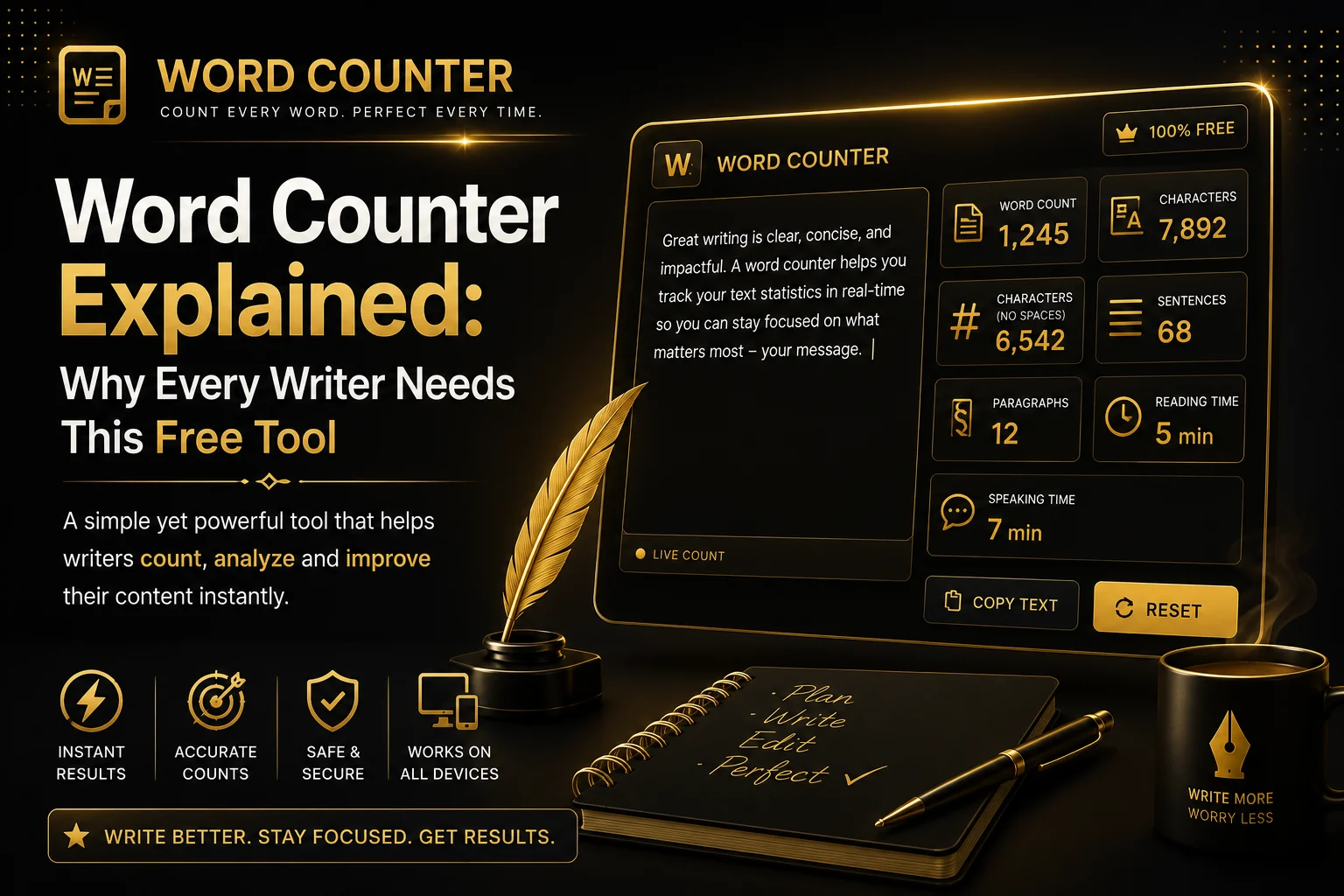
A Word Counter does much more than count the number of words in a document. Modern online word counting tools also provide character counts, sentence counts, paragraph counts, reading time estimates, speaking time, and other useful writing statistics. These insights help writers create well-structured, readable, and platform-friendly content.
Whether you’re a student trying to meet an essay requirement, a blogger optimizing articles for search engines, or a digital marketer writing advertisements with character limits, a Word Counter can save time and improve accuracy.
In this comprehensive guide, you’ll learn everything you need to know about Word Counters, why they’re useful, who should use them, and how they can improve your writing workflow.
What Is a Word Counter?
A Word Counter is an online tool that automatically analyzes your text and displays important writing statistics. Instead of manually counting words or relying on complicated software, you simply paste or type your content into the tool, and it instantly calculates your results.
Most modern Word Counter tools provide:
- Total word count
- Character count (with spaces)
- Character count (without spaces)
- Sentence count
- Paragraph count
- Reading time
- Speaking time
- Average word length
- Keyword density (advanced tools)
These statistics are updated in real time as you type, making the writing process smoother and more efficient.
Unlike traditional desktop software, online Word Counters work directly in your web browser. There’s nothing to install, and you can access them from any device, including desktops, laptops, tablets, and smartphones.
Why Is Word Count Important?
Word count plays an important role in almost every type of writing. Different platforms, institutions, and industries have their own content length requirements.
For example:
| Content Type | Typical Word Count |
|---|---|
| Blog Post | 1,000–2,500 words |
| SEO Article | 1,500–3,000 words |
| College Essay | 500–2,000 words |
| Product Description | 100–500 words |
| 50–300 words | |
| Social Media Caption | 20–200 words |
| News Article | 600–1,500 words |
Meeting these requirements manually can be difficult, especially for longer documents. A Word Counter ensures your content stays within the desired range without constant manual checking.
Benefits of Using a Word Counter
Using a Word Counter offers several advantages beyond simply counting words. It helps improve productivity, maintain writing quality, and meet platform-specific guidelines.
1. Saves Time
Imagine writing a 2,000-word article and then trying to count every word manually. Not only would it take a significant amount of time, but it would also increase the chances of making mistakes.
A Word Counter provides instant results, allowing you to focus entirely on writing instead of counting.
2. Improves Writing Productivity
Professional writers often work with deadlines. Knowing your current word count helps you estimate how much work remains.
For example, if your assignment requires 1,500 words and you’ve already written 1,200, you immediately know you need approximately 300 more words.
This simple insight keeps projects organized and helps maintain steady progress.
3. Helps Meet Assignment Requirements
Many schools, universities, and certification programs specify minimum and maximum word limits.
Submitting fewer words than required may result in incomplete work, while exceeding the limit can sometimes reduce marks or violate submission guidelines.
A Word Counter ensures your work stays within the expected range.
4. Supports Better SEO
Search engines evaluate content quality using many different signals. While there isn’t a perfect word count for ranking on Google, comprehensive articles generally perform better for informational topics because they answer users’ questions more thoroughly.
SEO professionals frequently use Word Counters to:
- Monitor article length
- Compare content with competitors
- Improve topical coverage
- Maintain consistency across blog posts
Combined with proper headings, keyword optimization, and internal linking, an appropriate word count can contribute to stronger search performance.
5. Maintains Platform Limits
Different online platforms have different character and word restrictions.
Examples include:
- Meta descriptions
- Social media posts
- Advertising headlines
- Product listings
- Job descriptions
- Email subject lines
A Word Counter helps you stay within these limits while still communicating your message effectively.
Who Should Use a Word Counter?
One of the greatest advantages of a Word Counter is its versatility. Almost anyone who writes can benefit from using one.
Students
Students regularly write essays, reports, dissertations, assignments, and research papers. Many educational institutions enforce strict word limits, making a Word Counter an essential academic tool.
It also helps students evaluate whether they’ve provided enough detail to support their arguments
Bloggers
Bloggers publish content regularly and often aim for specific article lengths based on SEO best practices.
Using a Word Counter helps maintain consistency across blog posts and ensures every article provides enough value for readers.
Long-form articles often perform well because they answer questions in greater detail and encourage longer reading sessions.
Content Writers
Professional content writers frequently work with client requirements.
Clients may request:
- 500-word articles
- 1,000-word service pages
- 2,500-word pillar content
- 3,000-word guides
A Word Counter ensures every project meets the agreed specifications before delivery.
Digital Marketers
Marketing campaigns often include strict character limits for advertisements, email campaigns, landing pages, and search engine snippets.
Using a Word Counter allows marketers to optimize copy without exceeding platform restrictions.
SEO Specialists
SEO professionals use Word Counters while planning content strategies and optimizing existing pages.
Word count data helps identify thin content, expand important topics, and maintain consistency across an entire website.
Business Professionals
Business communication also benefits from word counting.
Reports, proposals, presentations, executive summaries, and formal documents often have recommended lengths. A Word Counter helps professionals write clearly while keeping documents concise.
Word Count vs Character Count
Although these terms are often used interchangeably, they measure different aspects of your writing.
Word Count measures the number of individual words in your content.
Example:
“Online writing tools improve productivity.”
This sentence contains 5 words.
Character Count measures every individual character, including letters, numbers, punctuation, and, depending on the setting, spaces.
The same sentence contains significantly more characters than words.
Character count is particularly useful for:
- Meta descriptions
- Social media posts
- SMS messages
- Advertising copy
- Page titles
- Email subject lines
Understanding the difference helps you create content that fits both word-based and character-based requirements.
How Does a Word Counter Work?
A Word Counter uses intelligent text-processing algorithms to analyze your content as you type or paste it into the editor. Within seconds, it scans your text and calculates multiple writing statistics, providing valuable insights that help improve both quality and readability.
Unlike manual counting, which can be slow and prone to errors, a Word Counter automatically identifies individual words, characters, sentences, and paragraphs based on spaces, punctuation, and formatting rules.
Here’s a simplified overview of the process:
- Paste or type your text into the editor.
- he tool scans your content in real time.
- Words are identified by separating text at spaces and punctuation.
- Characters are counted, with or without spaces depending on the selected metric.
- Sentences and paragraphs are detected automatically.
- Reading and speaking times are estimated using average reading and speech speeds.
Most online Word Counters complete this entire process instantly, even for long documents containing thousands of words.
Key Features of a Modern Word Counter
Today’s online Word Counters offer much more than simple word counting. They are designed to help writers understand their content and improve writing efficiency.
Real-Time Word Count
One of the most useful features is live word counting. As you type, every statistic updates automatically, eliminating the need to refresh the page or click a button.
This is especially helpful when you’re working toward a required word limit for an assignment or article.
Character Count
Many websites and applications have strict character limits.
Examples include:
- Meta descriptions
- SEO page titles
- Social media posts
- SMS messages
- Email subject lines
- Advertising copy
A Character Count feature helps ensure your text fits within these restrictions without unnecessary editing.
Sentence Count
Knowing the number of sentences in your content can help evaluate writing structure.
Very long paragraphs with only one or two sentences may be difficult to read, while extremely short sentences can make writing feel fragmented.
Balancing sentence length improves readability for both users and search engines.
Paragraph Count
Paragraph statistics are particularly useful for bloggers and content creators.
Breaking long blocks of text into shorter paragraphs makes articles easier to scan, especially on mobile devices.
Modern readers prefer content with plenty of white space, clear headings, and manageable paragraph lengths.
Reading Time Estimation
Many advanced Word Counters estimate how long it takes an average person to read your content.
For example:
| Word Count | Estimated Reading Time |
|---|---|
| 300 words | About 1–2 minutes |
| 600 words | About 2–3 minutes |
| 1,000 words | About 4–5 minutes |
| 2,000 words | About 8–10 minutes |
| 3,000 words | About 12–15 minutes |
Adding reading time to blog posts helps visitors understand how much time they’ll need to finish the article.
Speaking Time Estimation
If you’re preparing a presentation, speech, podcast, or video script, speaking time becomes just as important as reading time.
A Word Counter can estimate how long it will take to deliver your content at an average speaking pace.
This feature is particularly useful for:
- Teachers
- Public speakers
- YouTubers
- Podcasters
- Corporate trainers
- Webinar hosts
Writing Statistics
Some advanced Word Counters also provide additional metrics, such as:
- Average word length
- Longest sentence
- Keyword frequency
- Keyword density
- Unique word count
- Average sentence length
These insights help writers refine their content and improve clarity.
Why Writers Use a Word Counter Every Day
Professional writers rarely publish content without checking its statistics first. Whether they work for agencies, businesses, or publications, Word Counters have become an essential part of the writing process.
Here are some of the most common reasons.
Maintaining Consistency
Suppose you’re creating a series of blog posts.
If one article contains 500 words while another contains 3,000, readers may experience inconsistent quality.
Using a Word Counter helps maintain a consistent content length across your website, making your blog appear more professional.
Improving Readability
Long, complex writing can discourage readers.
A Word Counter encourages writers to review sentence length, paragraph structure, and overall balance, making articles easier to understand.
Readable content keeps visitors engaged for longer periods and improves user experience.
Meeting Client Requirements
Freelance writers often receive instructions such as:
- 800-word article
- 1,500-word buying guide
- 2,000-word landing page
- 3,000-word pillar post
A Word Counter helps ensure every project meets the agreed specifications before submission.
Supporting Better Editing
Editing becomes much easier when you know your current word count.
For example, if your article is 400 words over the target length, you can identify unnecessary sections and remove repetitive content without affecting the overall message.
Common Use Cases for a Word Counter
A Word Counter isn’t limited to professional writing. People from many different backgrounds use it daily for a variety of purposes.
Academic Writing
Students frequently write:
- Essays
- Assignments
- Research papers
- Case studies
- Thesis documents
- Literature reviews
Most educational institutions specify minimum or maximum word counts, making a Word Counter an indispensable academic tool.
Blogging
Bloggers use Word Counters to create comprehensive, well-structured articles that satisfy readers’ expectations.
Long-form blog posts generally allow writers to explore topics in greater depth, answer common questions, and naturally include related keywords.
SEO Content Creation
SEO professionals rely on Word Counters while planning and optimizing web content.
Although there is no perfect word count for every page, ensuring adequate coverage of a topic often results in stronger, more valuable content.
A Word Counter helps writers compare article lengths and maintain consistency across an entire website.
Social Media Management
Every social media platform has different content expectations.
Marketing teams often use Word Counters to draft captions, promotional posts, and advertising copy before publishing.
Keeping messages concise improves readability and engagement.
Business Communication
Businesses produce many types of written documents every day, including:
- Reports
- Proposals
- Meeting notes
- Press releases
- Employee communications
- Client emails
Using a Word Counter helps teams write clearly while avoiding unnecessary repetition.
Content Localization and Translation
Translators and localization specialists frequently work with strict word or character limits.
A Word Counter allows them to compare translated content with the original document and ensure consistency across multiple languages.
Common Writing Mistakes a Word Counter Can Help Identify
Although a Word Counter doesn’t replace proofreading, it encourages better writing habits by highlighting potential issues.
Some common problems include:
- Articles that are too short to fully answer a topic.
- Overly long introductions that delay the main point.
- Repetitive wording that unnecessarily increases word count.
- Large paragraphs that are difficult to read.
- Uneven sentence lengths that reduce readability.
- Content that exceeds assignment or publishing limits.
Reviewing these statistics before publishing can make your writing more balanced and professional.
Tips for Writing Better Content
A Word Counter is most effective when paired with good writing practices. Consider these tips to improve every piece of content you create:
- Write for your audience first, then optimize for search engines.
- Use descriptive headings and subheadings to organize information.
- Keep paragraphs short for better readability on mobile devices.
- Avoid unnecessary repetition just to increase word count.
- Support your points with examples, tables, or bullet lists where appropriate.
- Proofread carefully to eliminate grammar and spelling errors.
- Aim for clear, concise language instead of overly complex sentences.
- Review your final statistics before publishing to ensure your content meets the intended length and purpose.
Best Practices for Using a Word Counter
A Word Counter is a powerful writing assistant, but using it effectively requires more than simply checking your total word count. The best writers combine word statistics with strong writing habits to produce content that is informative, engaging, and easy to read.
Here are some best practices to help you get the most from a Word Counter.
Write Naturally First
Don’t focus on the word count while writing your first draft. Instead, concentrate on expressing your ideas clearly and answering your readers’ questions. Once your draft is complete, use the Word Counter to review its length and make adjustments where necessary.
This approach helps your content sound more natural and prevents unnecessary repetition.
Don’t Add Words Just to Reach a Target
Many writers make the mistake of adding unnecessary sentences simply to meet a required word count. This often results in repetitive, low-quality content that provides little value to readers.
Instead of adding filler, expand your article by including:
- Practical examples
- Step-by-step explanations
- Frequently asked questions
- Real-world use cases
- Helpful tips and best practices
These additions increase both quality and usefulness.
Keep Your Paragraphs Short
Large blocks of text can discourage readers, especially on smartphones.
A good practice is to keep paragraphs between 2 and 5 sentences whenever possible. Short paragraphs improve readability and encourage visitors to continue reading.
Review Your Character Count
If you’re writing content for search engines or social media, checking the character count is just as important as checking the word count.
For example:
| Content | Recommended Length |
|---|---|
| SEO Title | 50–60 characters |
| Meta Description | 150–160 characters |
| Email Subject Line | 40–60 characters |
| Social Media Caption | Varies by platform |
Monitoring character count helps ensure your content displays correctly across different platforms.
Proofread Before Publishing
A Word Counter provides valuable statistics, but it cannot replace careful proofreading.
Before publishing your content, always check for:
- Grammar mistakes
- Spelling errors
- Incorrect punctuation
- Broken formatting
- Duplicate sentences
- Inconsistent headings
Taking a few extra minutes to review your work can significantly improve its professionalism.
Why Online Word Counters Are Better Than Manual Counting
Years ago, writers often counted words manually or relied solely on desktop software. Today, online Word Counters offer a much faster and more convenient solution.
Some of the biggest advantages include:
Instant Results
No waiting or manual calculations. Your statistics update immediately as you type.
No Software Installation
Online tools work directly in your browser without requiring downloads or updates.
Accessible Anywhere
Whether you’re using a desktop computer, laptop, tablet, or smartphone, you can access your Word Counter from virtually any device with an internet connection.
User-Friendly Interface
Most online tools are designed with simplicity in mind. Even first-time users can analyze their writing within seconds.
Completely Free
Many Word Counter tools provide all essential features without requiring registration or subscriptions, making them accessible to students, professionals, and casual writers alike.
Frequently Asked Questions (FAQs)
1. What is a Word Counter?
A Word Counter is an online tool that instantly calculates the number of words, characters, sentences, and paragraphs in your text. Many tools also estimate reading time and speaking time.
2. Is a Word Counter free to use?
Yes. Most online Word Counters are completely free and work directly in your browser without requiring downloads or account registration.
3. Why should I use a Word Counter?
A Word Counter helps you meet writing requirements, save time, improve productivity, and ensure your content fits platform-specific limits.
4. Does a Word Counter count characters too?
Yes. Most modern Word Counters calculate both character count with spaces and character count without spaces.
5. Can students use a Word Counter for assignments?
Absolutely. Students frequently use Word Counters to ensure essays, reports, and research papers meet required word limits before submission.
6. Is a Word Counter useful for SEO?
Yes. SEO professionals use Word Counters to monitor article length, maintain consistency across content, and ensure comprehensive topic coverage.
7. Can I use a Word Counter on my mobile phone?
Yes. Most online Word Counters are fully responsive and work smoothly on smartphones and tablets.
8. Does a Word Counter store my text?
This depends on the website you’re using. Privacy-focused tools process your text directly in the browser without permanently storing your content. Always review a website’s Privacy Policy if you’re working with sensitive information.
Final Thoughts
Writing effectively is about much more than simply reaching a specific number of words. High-quality content should be informative, easy to understand, well-structured, and valuable to its intended audience.
A Word Counter supports this process by giving you immediate insight into your writing. Whether you’re preparing a school assignment, publishing a blog, drafting business documents, or creating marketing content, knowing your word count helps you stay organized and meet your goals.
Because it also tracks characters, sentences, paragraphs, and estimated reading time, a modern Word Counter has become an essential tool for anyone who writes regularly.
By combining accurate statistics with thoughtful editing and clear communication, you can produce content that is both professional and engaging.
Conclusion
A Word Counter is one of the simplest yet most valuable writing tools available today. It helps writers, students, bloggers, marketers, developers, and business professionals create content more efficiently while maintaining accuracy and consistency.
Instead of manually counting words or worrying about meeting writing requirements, you can focus on what matters most—communicating your ideas clearly.
Whether you’re writing a short email or a detailed 3,000-word guide, a reliable Word Counter makes the process faster, easier, and more productive.
If you regularly create written content, using a Word Counter should become part of your everyday writing workflow.