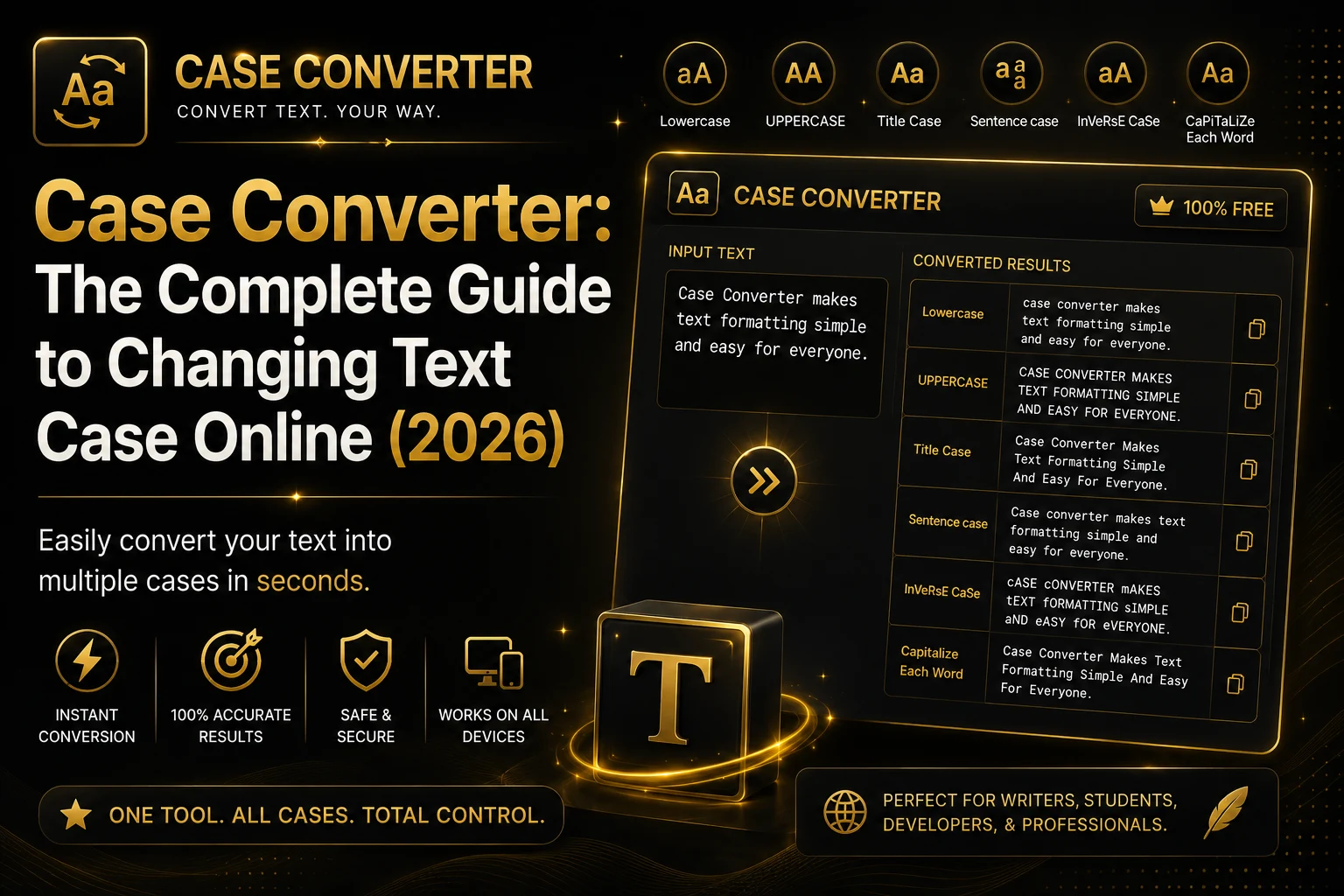
If you’ve ever needed to change uppercase text into lowercase, convert a sentence into Title Case, or format headings correctly, a Case Converter can save you a lot of time. Instead of manually editing every letter, an online case converter instantly transforms your text into the format you need.
Whether you’re a student, content writer, programmer, marketer, or business professional, changing text case is something you’ll likely do every day.
What Is a Case Converter?
A Case Converter is an online tool that automatically changes the capitalization style of your text.
Instead of editing each word manually, simply paste your text, choose a case format, and copy the converted result instantly.
It works directly in your browser without requiring installation or registration.
Types of Text Cases
Uppercase
Converts every letter into capital letters.
Example : THIS IS A SAMPLE TEXT.
Perfect for:
- Headlines
- Warnings
- Short labels
Lowercase
Converts every letter into lowercase.
Example: this is a sample text.
Useful for:
- Email addresses
- URLs
- Data cleaning
Sentence Case
Capitalizes only the first letter of each sentence.
Example: This is a sample text.
Best for:
- Articles
- Blogs
- Reports
Title Case
Capitalizes the first letter of every major word.
Example: This Is A Sample Title
Ideal for:
- Blog titles
- Book titles
- Headings
Capitalized Case
Capitalizes the first letter of every word.
Example: Hello World From TextCraftTools
Toggle Case
Alternates between uppercase and lowercase.
Example: hELLO wORLD
Benefits of Using a Case Converter
- Saves time
- Eliminates manual editing
- Reduces formatting mistakes
- Works instantly
- Free to use
- Mobile friendly
- No registration required
- Secure processing inside your browser
Who Uses a Case Converter?
A Case Converter is useful for:
- Students
- Teachers
- Bloggers
- Copywriters
- Developers
- SEO Experts
- Social Media Managers
- Digital Marketers
- Office Professionals
Why Use an Online Case Converter?
Online tools are much faster than editing text manually.
Instead of spending several minutes correcting capitalization, you can convert thousands of words in seconds.
Tips for Better Formatting
Always choose the correct case depending on your content:
- Sentence Case for articles
- Title Case for headings
- Uppercase for notices
- Lowercase for emails
- Toggle Case for special formatting
Conclusion
A Case Converter is one of the most useful writing tools available online. It helps improve formatting, saves time, and ensures your content looks professional.
Try our free Case Converter and format your text instantly without downloading any software.