
Free · Instant · No Signup

PDF to Word Converter

PDF

Click to upload or drag & drop a PDF

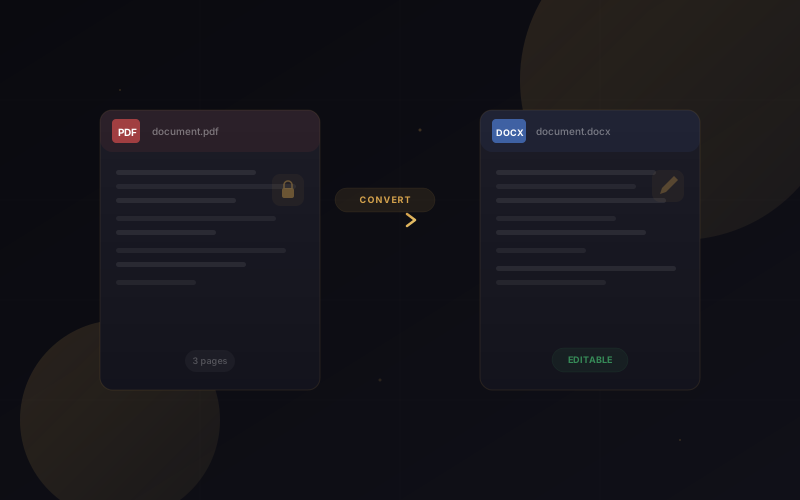
Upload a PDF and convert it to an editable Word DOCX document — headings, tables, images and layout are preserved

Pages0
Output Size0
Status0

Conversion runs entirely on your own server using LibreOffice — no data is sent to any third party, keeping your documents secure and private.
About This Tool

The TextCraft PDF to Word Converter is a free online tool that extracts editable text and content from PDF files and converts them to DOCX format. Upload your PDF and download a fully editable Word document with paragraphs, headings, and formatting preserved.

This browser-based PDF to Word converter handles complex PDF layouts including multi-column documents, tables, and images while maintaining the original document structure. All conversion happens locally on your device with no server uploads, keeping your sensitive documents completely private.

How to Use This Tool

  1. Upload Your PDFClick the upload area or drag and drop your PDF file. The tool supports PDF files of any size with up to 50 MB per file for optimal performance.
  2. Choose Conversion OptionsSelect whether to preserve images, maintain table structures, and keep original formatting. Default settings provide the best balance of accuracy and file size.
  3. Download DOCXClick Convert to process your file. Download the resulting Word document and open it in Microsoft Word, Google Docs, or any DOCX-compatible application for editing.

Key Features

Fast PDF Conversion

PDF to Word conversion completes in seconds, extracting text and formatting with high accuracy for quick access to editable content.

Private Local Processing

All conversion happens in your browser with no server uploads. Your PDF documents never leave your device for complete confidentiality.

Formatting Preservation

Headings, paragraphs, fonts, tables, and basic formatting are preserved in the output DOCX file for minimal rework.

Handles Complex Layouts

Multi-column documents, bulleted lists, numbered lists, and embedded images are extracted and placed correctly in the Word output.

Free Unlimited Conversions

No registration, no daily limits, no premium fees. Convert unlimited PDF files to Word format completely free of charge.

Benefits

  • Edit PDF Documents with Ease: The PDF to Word Converter transforms static PDF files into fully editable Microsoft Word documents, allowing you to update text, modify layouts, edit tables, replace images, and reuse content without recreating the document from scratch.
  • Save Time and Increase Productivity: Convert PDF to Word in seconds instead of manually retyping documents. Quickly edit contracts, reports, resumes, invoices, research papers, and business files, helping you complete work faster while improving overall productivity.
  • Preserve Formatting and Document Quality: Our PDF to Word Converter preserves fonts, headings, paragraphs, tables, images, hyperlinks, and page layouts whenever possible, ensuring your converted DOCX file remains accurate, professional, and ready for editing.
  • Secure Browser-Based PDF Conversion: Privacy comes first at TextCraft Tools. Many browser-based utilities process files locally whenever possible, helping keep your PDF documents secure while providing fast, reliable, and hassle-free Word conversion without unnecessary software installation.

Who Can Benefit

  • Business Professionals: Use the PDF to Word Converter to transform contracts, invoices, proposals, reports, presentations, and business documents into editable Microsoft Word files. Easily update content, collaborate with colleagues, track revisions, and prepare professional documents without recreating them from scratch.
  • Students and Educators: Convert PDF textbooks, research papers, lecture notes, assignments, dissertations, and academic resources into editable Word documents for note-taking, editing, citations, and coursework. The PDF to Word Converter helps simplify studying and document preparation while preserving important formatting.
  • Legal and Administrative Teams: Convert legal agreements, compliance documents, employee records, application forms, policies, and administrative paperwork into editable DOCX files. This makes updating information, reviewing contracts, and managing office documents faster, more accurate, and more efficient.
  • Content Creators and Writers: Extract text from PDF eBooks, articles, manuals, whitepapers, and reports into editable Word documents for rewriting, proofreading, publishing, and content creation. The PDF to Word Converter saves time while preserving headings, tables, images, and document structure.

Why Choose This Tool

  • Accurate PDF to Word Conversion: Our PDF to Word Converter accurately converts PDF files into editable Microsoft Word documents while preserving fonts, headings, tables, images, hyperlinks, and page layouts. It delivers reliable results for business documents, resumes, reports, contracts, and academic files with minimal formatting changes.
  • Privacy-First Browser Processing: Your privacy is our priority. Many TextCraft Tools process files locally within your browser whenever possible, helping keep your documents secure and under your control. No account registration or unnecessary data collection is required for everyday document conversions.
  • Free PDF to Word Converter: Convert PDF files to editable Word documents completely free with no subscriptions, premium plans, hidden fees, or daily usage limits. Enjoy fast, reliable PDF conversion whenever you need it on desktop, tablet, or mobile devices.
  • Works on Every Modern Device: Use the PDF to Word Converter on Windows, macOS, Linux, Android, iPhone, and iPad through any modern web browser. No software installation or complicated setup is required, making document conversion simple from virtually anywhere.
Convert PDF to Word Online

Convert PDF to Word Online

Transform any PDF into an editable Word document with the TextCraft PDF to Word Converter. Preserve headings, tables, images, and formatting — free, fast, and 100% private.

Frequently Asked Questions

Best Practices for Converting PDF to Word

Getting the best results from a PDF to Word Converter starts with using a clear, high-quality PDF document. Whenever possible, convert PDFs that contain selectable text instead of scanned images, as this helps preserve formatting, headings, tables, fonts, hyperlinks, and page layouts more accurately. After conversion, review the Word document for any minor formatting adjustments, especially if the original PDF contains complex graphics, multiple columns, or custom fonts.

For even better document management, explore our PDF Merger to combine multiple files, PDF Splitter to extract pages, PDF to JPG for image conversion, JPG to PDF to create PDF documents, and browse our All Tools collection for more browser-based utilities.

To learn more about the PDF file format and document standards, visit Adobe Acrobat, Google Search Central, and MDN Web Docs. Following these best practices helps ensure faster conversions, improved formatting accuracy, secure document handling, and a smoother editing experience across Windows, macOS, Linux, Android, iPhone, and iPad.